Revion
Cross-platform Rust GUI framework with GPU-accelerated rendering
Revion is a high-performance GUI framework designed for professional applications such as CAD, 3D modeling, and video/image/audio editing. It combines React-like declarative UI with native-level GPU performance.
Revion builds UI from GPU shader level without depending on existing UI libraries or rendering engines. Every element on screen—text rasterization, rounded corners, borders, shadows—is processed directly on the GPU through WGPU.
Features
- GPU-accelerated rendering — High-performance drawing via WGPU
- Cross-platform — Windows / macOS / Web support
- Virtual DOM — React-like reactive updates with efficient diffing
- Flexbox layout — CSS-like layout system powered by Taffy
- 2D & 3D support — Native support for vector graphics and 3D scenes
- Inspector — Built-in debugging tool for UI inspection
Quick Start
use revion_app::App;
use revion_macro::rsx;
use revion_ui::{RenderContext, RevionError, VNode};

fn main() -> Result<(), RevionError> {
    let mut app = App::new("My App")?;
    app.build_with_component(app_component)?;
    app.run()
}

fn app_component(ctx: &mut RenderContext) -> VNode {
    let count = ctx.use_state(0);

    rsx!(ctx,
        <div>
            <text>{format!("Count: {}", count.get())}</text>
            <button
                label="Click me!"
                on_click={{
                    let count = count.clone();
                    move |_, _| {
                        count.update(|n| n + 1);
                        Ok(())
                    }
                }}
            />
        </div>
    )
}
Design System
Revion ships with a complete design system — a library of ready-to-use UI components rendered entirely on the GPU, with no HTML, CSS, or DOM underneath.
The set spans a full icon library, form controls (slider, number scrub, checkbox, radio, toggle switch, and toggle button groups), and overlays such as tooltips, context menus, accordions, spinners, and a full color picker. Light and dark themes are built in and switch instantly.
Built with Revion — BIM
To prove Revion in a demanding real-world domain, we built a BIM (Building Information Modeling) application entirely on top of it. The same GPU pipeline that draws the UI also renders the building model, so the interface and the 3D scene share one rendering path with no bridge in between.
From zoning to detailed design, seamlessly
Zoning and detailed design live in the same model rather than separate tools. You can block out volumes at the zoning stage and keep refining the very same elements down to detailed design—no export, no re-import, no context switch. The transition between scales is continuous, so early massing decisions carry through to the final drawings.
Real-time cost as you design
Cost is not a separate estimation step. As you model in the ordinary way, quantities and cost are simulated in real time and update with every change you make. This keeps the budget impact of each design decision visible the moment it happens, instead of surfacing it after the fact.
Demo
Here are examples of UI built with Revion.
State Management
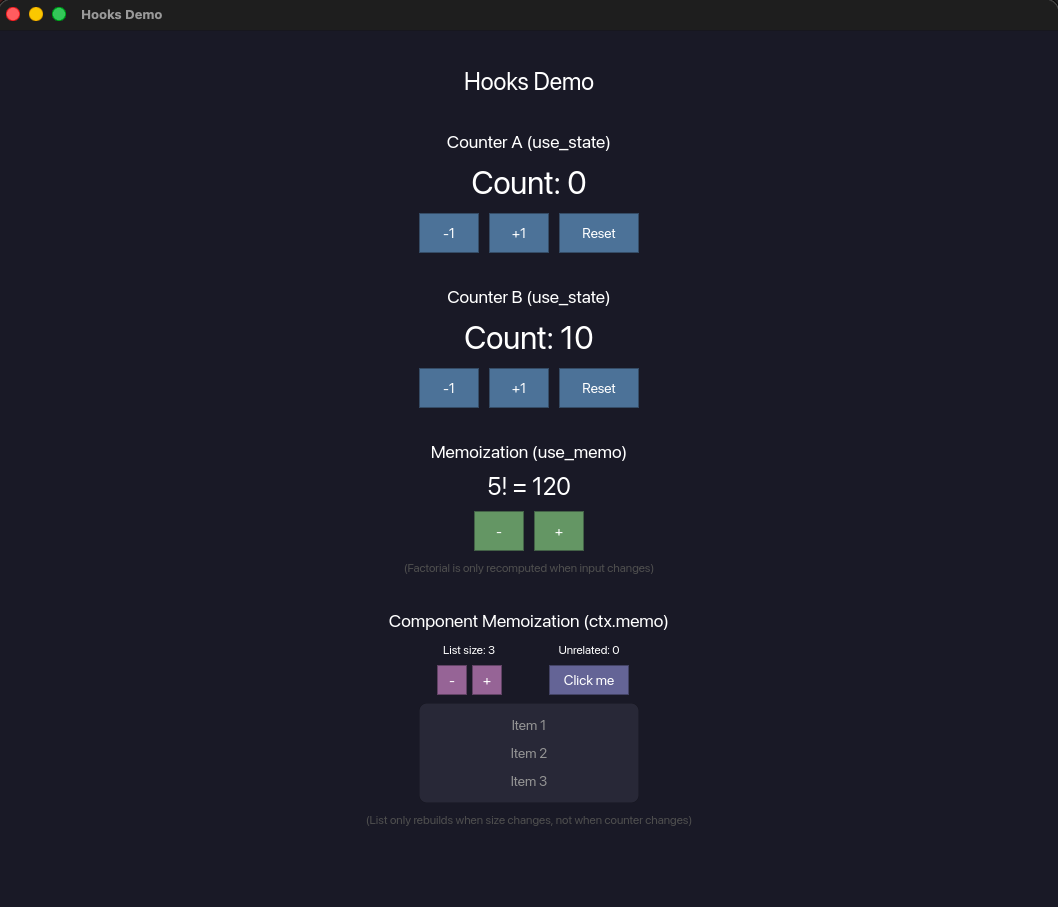
Manage state with React-like hooks such as use_state and use_memo. Component-level memoization with ctx.memo enables efficient re-rendering of only the necessary parts.
Text Input
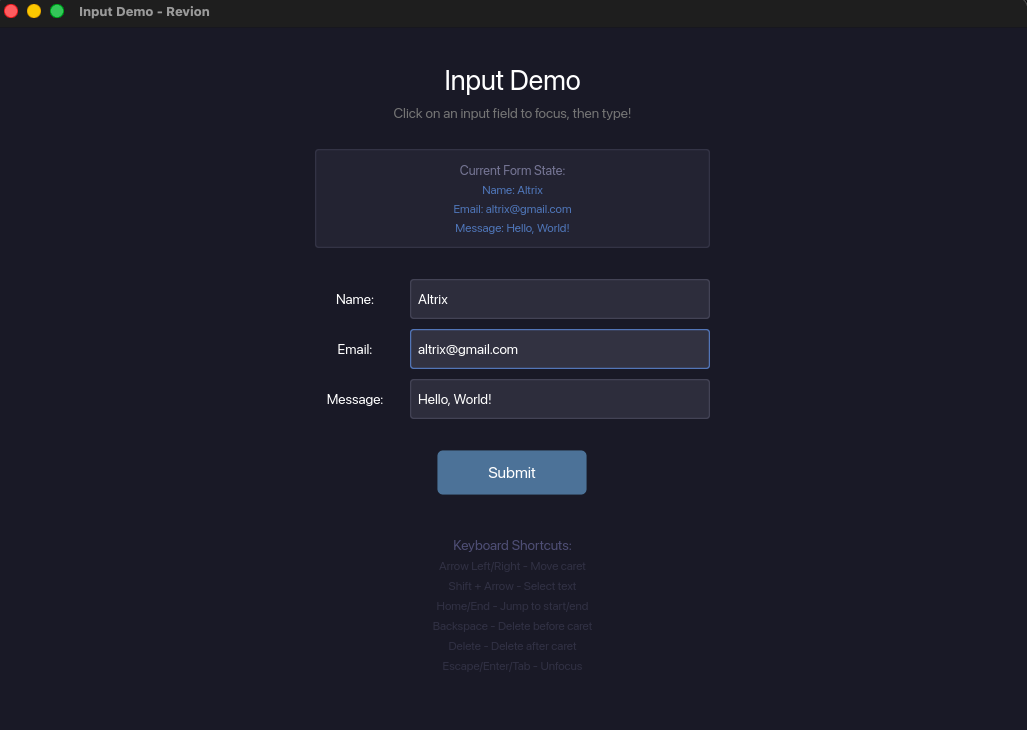
Text input and keyboard shortcuts are implemented natively. Provides editor-level input experience including IME support, cursor movement, and text selection.
Inspector & Automated Testing
Revion includes a built-in Inspector that allows external access to retrieve and manipulate the UI element tree of running applications. This enables AI agents to autonomously operate the GUI for debugging and verification.
An automated testing framework leveraging the Inspector is also available, allowing programmatic UI state retrieval and user interaction simulation.
Comparison with Other Frameworks
| Revion | Flutter | Dioxus | egui | |
|---|---|---|---|---|
| 3D Integration | Native | External | None | Limited |
| Direct GPU Control | Yes | No | Partial | No |
| Declarative UI | Yes | Yes | Yes | No |
| Custom Shaders | Yes | No | Partial | No |
Use Cases
- CAD / 3D Modeling — Integration of 2D/3D viewports and tool panels
- Video & Image Editing — Real-time preview and GPU effects
- Music Production (DAW) — Low-latency input and real-time waveform display
- Game Engine Tools — Custom shaders and editor UI
- Scientific Visualization — GPU rendering of large-scale data
Tech Stack
| Function | Library |
|---|---|
| Rendering | WGPU (Vulkan/Metal/DX12/WebGPU) |
| Layout | Taffy (Flexbox) |
| Text | Glyphon |
| 2D Tessellation | Lyon |
| Math | nalgebra |